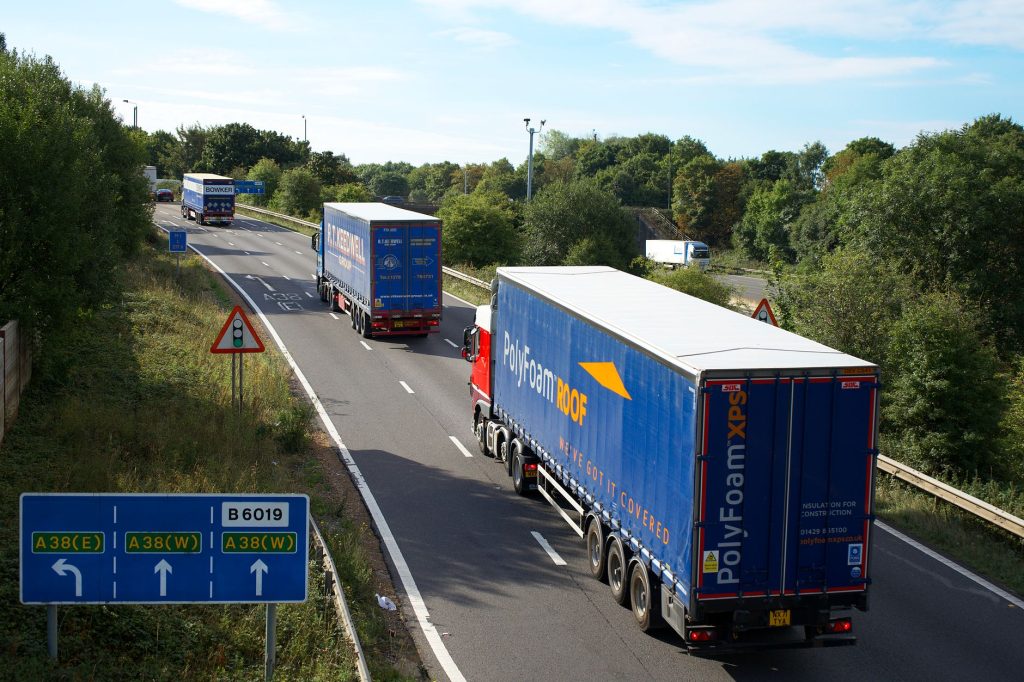
Long motorway runs are a different beast to urban commuting. The M25 at 07:30 on a Monday, the M6 crawling through Birmingham, the M1 somewhere near junction 25 with absolutely nothing around you except a lorry doing 53mph in the middle lane. Getting caught out without the right information on any of these stretches costs you time, fuel and, honestly, patience you’d rather save. That’s where having the right apps loaded before you set off makes a real difference. I’ve been running through what’s actually useful in 2026, ditching the ones that overpromise, and this is what I keep on my phone for every motorway run.
Navigation and live traffic: still the foundation of any motorway app setup
Waze is still the benchmark for live traffic data on UK motorways in 2026. It pulls in incident reports from a genuinely massive user base, flags police presence (legal in the UK), and will reroute you around a shunt on the M25 before the matrix signs have even updated. The routing can be aggressive at times, sending you down B-roads that technically save seven minutes but feel like a gamble in the dark. You learn to trust it selectively. I’d say it earns its keep on the M25 and M6 more than anywhere else, where even small diversions can save significant time.
Google Maps has closed the gap considerably. For pure motorway navigation with accurate ETA calculations and reliable lane guidance at complex junctions, it’s arguably more composed than Waze. The speed limit display is solid, the integration with Google’s traffic prediction model means it often knows about congestion before it’s severe, and if you’re an Android Auto or CarPlay user, the interface is cleaner to glance at while driving. I tend to run Google Maps as my primary display and keep Waze running in the background on a mount for incident alerts.
What3Words deserves a mention here, not for navigation per se but for emergency situations. If you break down on a smart motorway with no visible landmark, being able to give a three-word location to the emergency services is genuinely useful. The government guidance on motorway breakdowns is worth reading alongside this, because the rules around stopping on active lanes of smart motorways are something every driver should understand before they need to apply them.
Motorway service ratings and finding a decent stop
Motorway services have a reputation, and a fair chunk of it is deserved. But they vary enormously, and walking into the wrong one when you need a coffee and a clean toilet is a small misery. The app that cuts through this most effectively in 2026 is MSA (Motorway Services Area), which carries user ratings, facility information and real-time feedback on queues and conditions at services across the UK network. It’s not flashy, but it’s specific in a way that general review platforms aren’t.
Tripadvisor catches some service stations too, but the reviews skew old and the search interface isn’t designed around motorway planning. For a proper pre-trip service comparison on something like a Manchester to London run on the M1, I’d rather spend two minutes on MSA the night before than faff around on Tripadvisor while pulling into a car park.

If you’re driving a longer run and EV charging is part of your planning, Zapmap is the one. It has become the standard for UK public charging location data, shows real-time charger availability at motorway services, and lets you filter by connector type and charging speed. For petrol and diesel drivers, it’s less relevant day-to-day, but if you’ve recently switched or you’re considering it, it’s worth having installed.
Fuel price apps: where they’re genuinely useful and where they fall short
Petrol prices on the motorway are almost always higher than on nearby A-roads. That’s a fact of UK motorway life. The question is whether a dedicated fuel price app changes your behaviour enough to be worth it on a long run.
Petrol Prices (the app, not just the website) and GasBuddy’s UK functionality both pull HMRC-adjacent pricing data and user-submitted prices to show you the cheapest options within a radius. In practice, I find these most useful at the planning stage, not while driving. You can identify a reasonably priced supermarket forecourt two junctions off your route, stop there rather than paying motorway rates, and save 15-20p per litre depending on the stretch. On a 60-litre fill, that’s a meaningful saving. The apps are less useful for spontaneous decisions at 80 mph, obviously.
One thing I’d add: check your car’s actual fuel economy before you assume a detour for cheaper fuel is worth it. The extra miles, the time spent, the urban driving to the forecourt and back, all of that burns fuel too. Resources like Car Data Wiki are handy for checking manufacturer fuel consumption figures by model, which gives you a baseline before you start making these kinds of calculations on the road.
Smart motorway alerts and traffic management
This is an area where app coverage is still catching up to what drivers actually need. The National Highways app (previously Highways England) shows live traffic conditions and planned roadworks on the strategic road network. It’s dry and functional, but the roadworks data is genuinely reliable, and checking it before a Friday afternoon M6 run can tell you whether the contraflow near junction 19 is live that weekend. That information is worth having.
Inrix is used by a lot of commercial fleet operators for exactly this reason. The consumer-facing version of their traffic data feeds into many navigation apps, but accessing it directly gives you more granular information about incident types, duration predictions and alternate route modelling. It’s more suited to drivers doing regular long-haul commercial runs than leisure drivers, but if the M1 or M6 is your office, it’s worth exploring.
Worth pairing all of this with a proper understanding of whether a dedicated sat nav or your phone is better for UK motorway navigation, because hardware and software choices interact more than people assume. Mounting, power delivery, screen brightness in direct sun and app compatibility all matter when you’re covering 200 miles in one stretch.
How to actually set this up before a long run
Having five apps installed is useless if they’re not configured before you leave. My setup for any motorway run over about 90 miles goes like this: the night before, I check National Highways for planned closures or active contraflows on my specific route. I use Google Maps to set my destination and check travel time predictions for the time I’m leaving. I update Waze so it’s running the latest map data. If I need fuel, I check Petrol Prices for anything that sits within a couple of junctions of my route.
On the road, Waze runs audio alerts through my car’s speakers via Bluetooth and Google Maps handles the screen display. I don’t look at my phone. That’s the critical part. All of this tech is useless, and actively dangerous, if you’re picking your phone up at speed. Everything should be mounted, everything should be voice-controlled or glanceable on a properly positioned mount, and you should be setting routes before you move, not while you’re already on the motorway.
For keeping track of your car’s condition across longer runs, a decent OBD2 scanner paired with an app like Torque Pro or OBD Fusion gives you live engine data that can flag issues before they become roadside emergencies. It’s a separate layer of tech but worth knowing about for anyone doing regular high-mileage motorway work.
And if you’re heading to France via the Channel Tunnel, half of these apps hand off cleanly to European equivalents, though the additional paperwork and Crit’Air considerations for driving in France are worth sorting before you hit the Eurostar terminal.
The kit matters, the apps matter, but the real advantage is having a system. Test it on a shorter run, refine what’s useful for your specific routes, and you’ll be driving smarter on every long-haul motorway trip this year.
Leave a Reply